UI BuilderTM for Microsoft® Access®
Why UI Builder?
- UI Builder Overview
- Features and Editions
- Video Demonstration
- Data Sheet
- Frequently Asked Questions
- Lifetime support and updates
- Customer Testimonials
- ROI Calculator
Supercharge Your Access Database in Minutes
Get more from Microsoft Access in just a few hours. Save time recreating the wheel - UI Builder gives you all the essential features Microsoft Access should come with out of the box. Used by small companies, governments, and Fortune 500 corporations worldwide, UI Builder is the must-have Access tool for any database.Product
Editions
UI Builder - Starter
Configurable menus and layouts with 26+ pre-defined menu actions. Upgrade to Business or Enterprise at any time.UI Builder - Business
Integration with Outlook for Mail-Merge, creating tasks, free Microsoft Access templates to help you get started.UI Builder - Enterprise
Easily manage multi-user databases with user-level menus, audit changes to records, and more...Use UI Builder to add professional web 2.0-like menus with configurable layouts and color schemes. Simplify user navigation between your forms and reports. Even add a Google-like search feature to the top of your Microsoft Access forms without any VB coding.
Watch
the demo
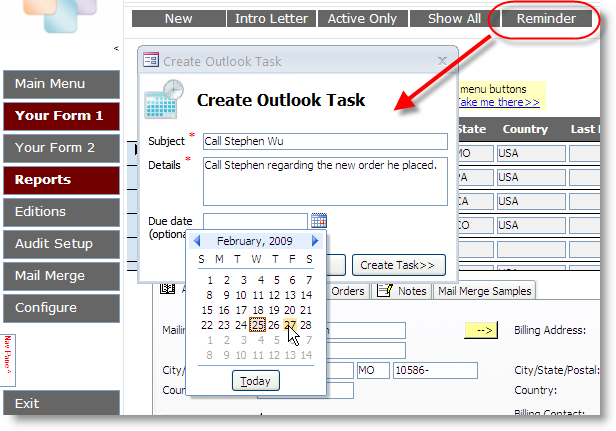
Use UI Builder to add advanced features to your Access database that would take hours or days to research, develop, and test. Each menu button can be configured to carry out one of 26+ pre-defined commands. Review the full feature list...
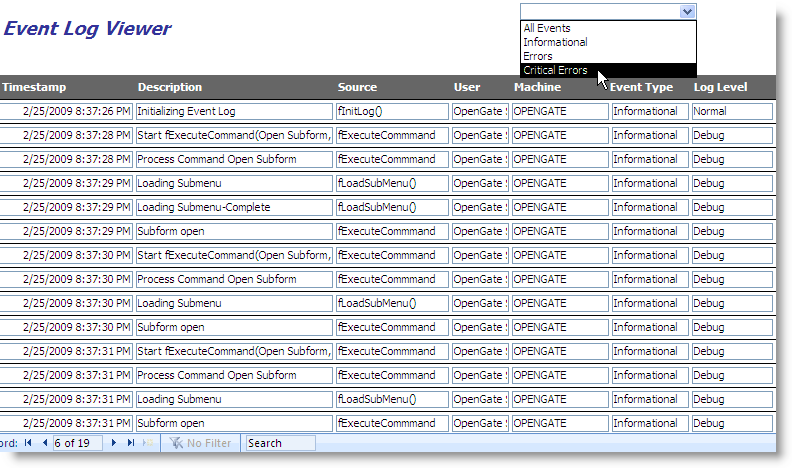
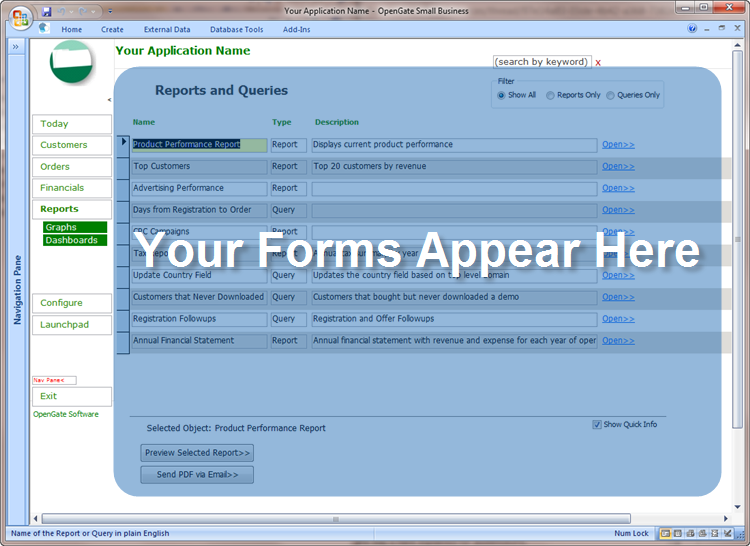
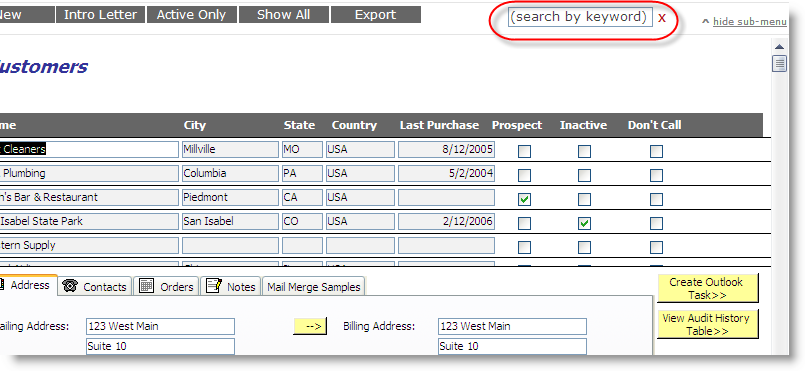
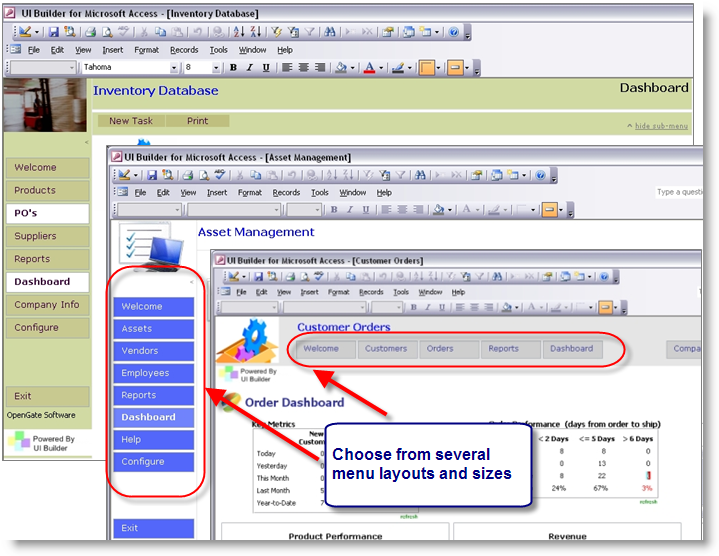
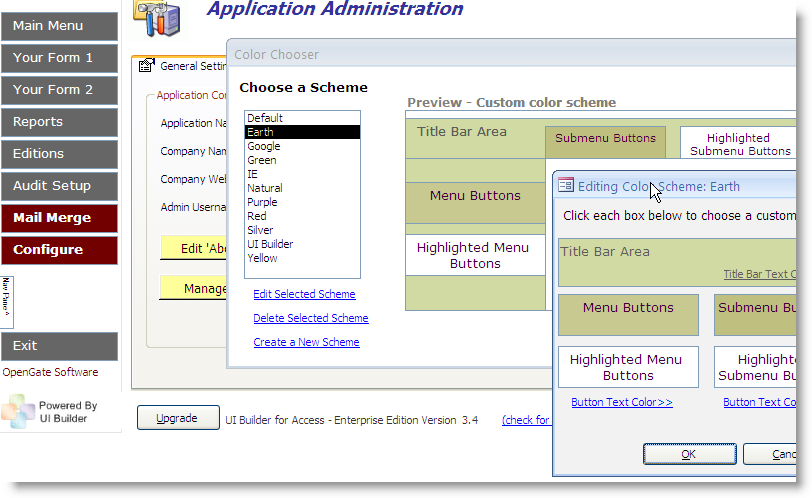
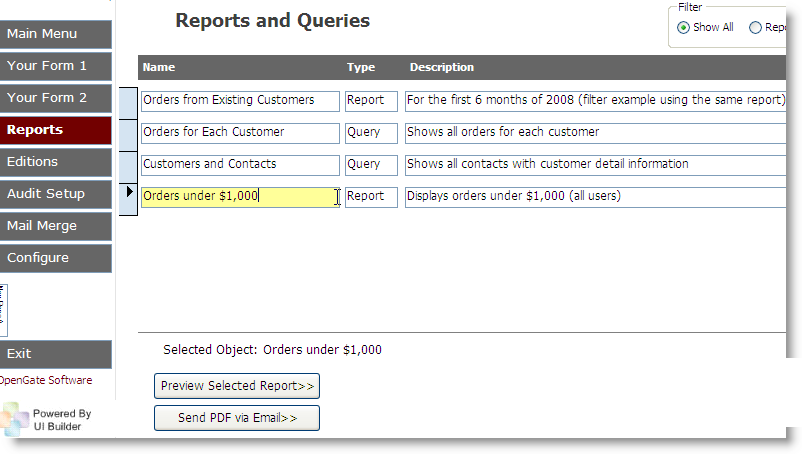
Make each project unique: change your menu buttons, layouts, and colors without code. Capture errors with UI Builder's built-in event logging, automatically fix broken linked tables, and maintain user-friendly directories of forms, reports, and queries with clear descriptions. And because UI Builder is compatible with MS Access 2000 through Access 2007 and MS Access 2010, you have one tool that will upgrade with you.
We will never share your information with other parties (our privacy commitment).
"UI Builder provides and intuitive interface for both the developer and the end user. Allows you to build an easy to navigate access application your users will appreciate. Has my database applications looking like they were professionally designed. 100% recommended." –jap412 from Download.com
"UI Builder really helped me out! Easy to use. Great looking format. Quick to install and get started." –cafuller from Download.com
"Thank you! Your product gives my applications a fresh look after all these years, which makes a big difference to my customer." –Financial Services Manager, UK
"UI Builder has saved me many hours of development time...the end users appreciate the ease with which they can navigate through the application." –Ken Sherman - Software Engineer, Donaldson Company
System Requirements
Microsoft Access 2000, 2003, Microsoft Access 2007, Microsoft Access 2010, Microsoft Access 2013, Microsoft Access 2016, and Microsoft Access 2019 (both 32- and 64-bit versions for all).
Microsoft and the Office logo are trademarks or registered trademarks of Microsoft Corporation in the United States and/or other countries.