UI Builder for Microsoft Access
Feature Detail: Event Logging and Administrator Alerts
UI Builder enables you to quickly insert logging events into your forms and VB modules with
a single line of VB code. The UI Builder logging
feature lets you specify:
All events recorded in the event log table are visible in the Event Log Viewer, as shown below.
- Where events should be logged (to a local or linked table, or output to an XML file)
- The logging level, which allows you to create log events that are captured every time, or only when the logging level is set to "Debug"
- Whether notification emails will be sent to a designated administrator for specific types of events.
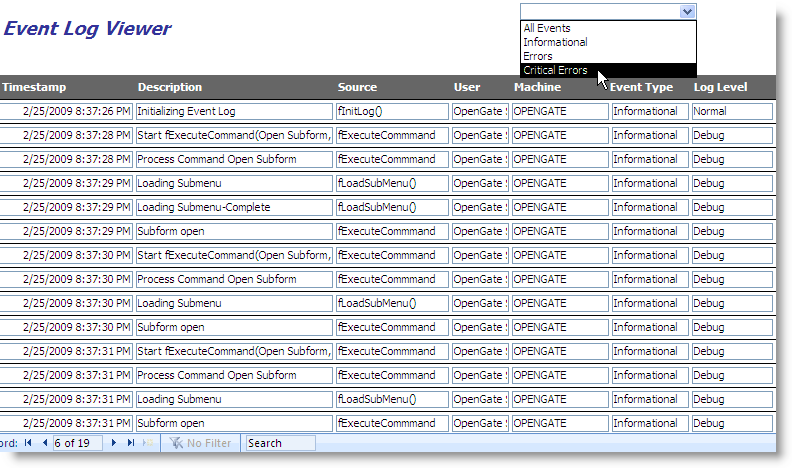
All events recorded in the event log table are visible in the Event Log Viewer, as shown below.

Copyright ©
OpenGate Software Inc. All Rights Reserved.