Vivaldi Web Application Designer for MySQL
Make the Move from MS Access to Web Application without Code
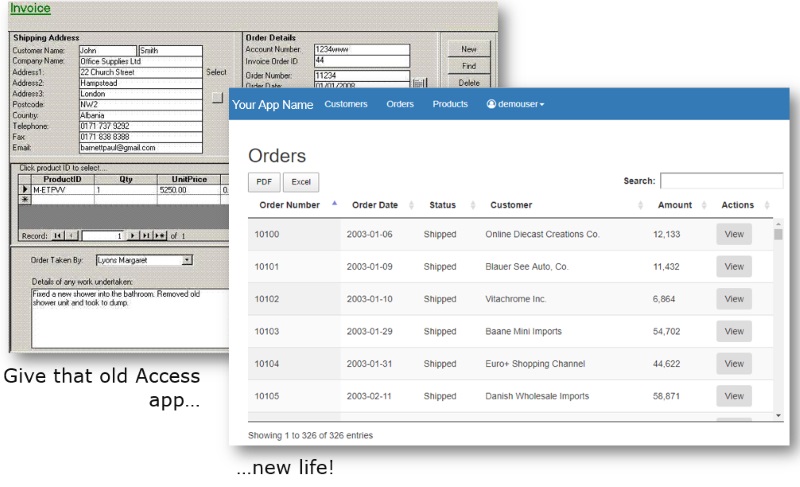
Many Microsoft Access database owners need to make the application available to mobile users, or users without Access. One of the most inexpensive, efficent ways is to migrate to a MySQL database and create a web application front end that allows your users to view and manage data. Learn About MySQL
MySQL is one of the most popular database engines on the market,
available in a Community Edition
which is free of charge.
It provides the same features Microsoft SQL Server, Oracle, and
DB2 offer for the most common database needs (in other words,
you aren't likely to need to pay for one of these more expensive
database engines unless you have very specialized, high
scalability/performance/availability requirements). Best
of all, services like Amazon RDS offer inexpensive MySQL hosting
at a low monthly price. You'll also find most internet
service providers that offer website hosting will include MySQL
databases as part of your package free of charge. Finally,
if you are familiar with MS Access query language, you'll be
well prepared for working with MySQL views (essentially the same
SQL concept).
Step 1: Migrate your Microsoft Access database to MySQL
Choosing a MySQL host
You have many options when it comes to choosing where to host your MySQL database. We've listed a few here to help you get started.- Your current web host - if you have a website currently you likely have free MySQL databases included. 1&1, GoDaddy, InMotion, and others have low-cost packages with MySQL included.
- A cloud host - Amazon RDS, Microsoft Azure, Google, or others. You'll pay by the cpu time your database uses, a good "pay as you grow" option.
- Your corporate IT - if you are in a large company, you'll likely have some MySQL servers around. Whether you can get access to one to manage your own database is going to depend on your IT organization. But always worth a try!
- Your own server - if it's just for your internal network, you can use a tool like XAMPP to stand up a complete MySQL and web server with very little effort or know-how. Your machine would need to be available (up) for as much time per day as other users need to access it.
Moving your tables to MySQL
Free tools like Bullzip to create a new MySQL database and automaticaly copy your data too.Creating MySQL views from your Access queries
In MySQL, "views" and the equivalent of "queries" in Accesss. Most queries can be recreated by copying and pasting the SQL from Access into MySQL Workbench. Just be sure to create them in order - any queries that reference other queries should be created last.Step 2: Create Your Web Application using Your New MySQL Database
- Copy the Vivaldi files to your web server directory
- Connect Vivaldi to the database (editing 4 lines of text)
- Use Vivaldi to visuallly design the forms needed to view/add/edit/delete records without any coding. See all of Vivaldi's amazing features >>
- Use Vivaldi to manage user security, role assignments, and dynamic menus