You are here:
Microsoft Access Products > FormSafe
FormSafeTM for Microsoft® Access®
Protecting personal private data has become an essential part of daily business operations.
Add Power to Your Access Database Security Strategy
Securing private information from unauthorized individuals is more important than ever. Global privacy laws require that most patient, employee, and financial information be shared with only those individuals that have a specific need to see the information. Microsoft® Access® is used worldwide to manage sensitive information for businesses of every size. FormSafe for Microsoft Access provides a simple yet powerful utility to dynamically decide what fields and buttons on a form need to be hidden, disabled, or obscured, all at the user level. Combined with an overall Access database security strategy, FormSafe can help you save time and effort managing Access form security.Product Licensing
Unlimited users, unlimited databases within your company.
FormSafe for MS Access
With FormSafe, you can:
Secure your Access Forms
at the User-Level
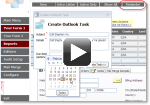
Watch the demo
Use FormSafe to secure the text-boxes, dropdown boxes, buttons, and other controls in your Microsoft Access forms based on the individual using the form. You can set up FormSafe to disable, hide, or obscure Access controls on any form to prevent specific users from accessing information they should not see. Whether you need your Access database to comply with the US HIPAA Act or national Data Privacy laws, FormSafe can help you secure your MS Access forms at the user-level.
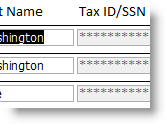
Use FormSafe to easily hide, obscure, or disable fields in your Access forms based on each person's Windows username. An experienced Access developer knows creating multiple versions of an Access form to limit visibility to data, or adding Visual Basic to hide fields from specific users, can be a maintenance nightmare. When you update the design of one version of the form, and you have to spend time copying that change over to every other version. With FormSafe, you add a single line of VB code (which FormSafe provides for you to paste in) to your form, the rest is simple configuration. And when you add new users, or decide to protect a new or existing field, you simple update the configuration in the FormSafe administrative screen. No more coding, no more MS Access form versions by user.
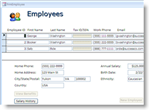
Use FormSafe with UI Builder - Enterprise Edition for an even more powerful security solution. FormSafe and UI Builder were designed to work together seamlessly. The Enterprise Edition of UI Builder lets you decide if a user can even open a specific form. If they are allowed to open the form in your Access database, the FormSafe lets you dictate which fields they are allowed to see and change, and which buttons they can select. And instead of specifying each user individually, you can simply select the role in UI Builder Enterprise to which the FormSafe rule applies.
System Requirements
Microsoft Access 2000, Microsoft Access 2002, Microsoft Access 2003, Microsoft Access 2007, or Microsoft Access 2010 (client), Microsoft Access 2013 (client), Microsoft Access 2016 (client).
Microsoft and the Office logo are trademarks or registered trademarks of Microsoft Corporation in the United States and/or other countries.

Copyright © OpenGate
Software Inc. All Rights Reserved.