UI Builder vs. the Microsoft Access Switchboard Manager
Creating Menus in Microsoft Access
Menu navigation is a key element to any frequently used Access database. The database window (Access 2003 and earlier) and navigation pane (Access 2007 and higher) provide a basic navigation scheme for developers, power users, and for small databases. The Microsoft Access Switchboard Manager is a free utility within MS Access to create simple menus to help simplify navigation for uses. UI Builder is commonly used to replace and improve on the Microsoft Access Switchboard Manager. This page provides a comparison of the two menu options to help you decide which is right for you.
| MS Access Switchboard | UI Builder for Access | |
| Menu Buttons | 8 per page | 8 main menu buttons |
| Submenus | None. Cascading menu pages used | 5 per main menu button |
| Menu button commands | 8 commands | 26+ pre-defined commands available |
| Form presentation | Each opens in a separate window, users will not see the switchboard menu while their form is open | Displayed within the main menu, users do not need to leave the main menu to view their form |
| Search | Ctrl+F Access search | Google-like search available to all your forms without coding or macros |
| Color schemes | Requires form customization | User-configurable color schemes |
| Layouts | One. Adjustments require form customization | 7 menu layouts to choose from |
| Company logo | Requires form customization | Configurable in the UI Builder administration screen |
| Hover-over effects | None | Built-in |
| User-level menus | No | Enterprise Edition feature |
| Look and Feel | Windows 95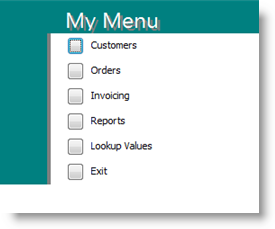 |
Web-2.0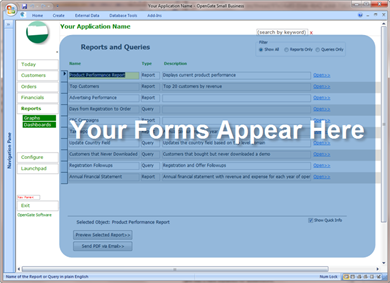 |
UI Builder includes many more features than the standard Access switchboard manager, but we've summarized the areas that are primarily direct comparisons here.